Replacing Excel with software that knows your trade
Many companies run on a workbook nobody decided to keep for good: a quote, then a tracker, then one more tab. Here are ten signs the spreadsheet has become your management software, twelve honest answers (including when the right answer is to keep it) and what becomes of your file if you replace it.
Ten signs the spreadsheet is no longer enough
None of these is serious on its own. Several together say the file costs more time than it saves.
- 01
One person knows how the file works, and everyone waits for them to be in.
- 02
There are several versions of the workbook (“v3”, “final”, “final-2”) and nobody is sure which one is right.
- 03
The same information is typed several times: in the quote, then the tracker, then the invoice.
- 04
A formula broke one day, and it was found at invoicing time.
- 05
The file goes out by email for someone to fill in, comes back, and gets merged by hand.
- 06
Friday’s figures are no longer true on Monday, because someone corrected a row without saying so.
- 07
A simple figure (this month’s margin, the jobs still pending) means reopening several files and recomputing by hand.
- 08
Your field teams, or your clients, have no access: everything goes through you.
- 09
The workbook has grown heavy and slow, and people hesitate to touch it.
- 10
You already tried off-the-shelf software and came back to the spreadsheet because it would not do your calculation.
What becomes of your spreadsheet
It is not thrown away. Its formulas are the most precise description that exists of how you work, and they are where we start.
- 01
Reading
We open the workbook with you and list what it computes, tab by tab, including the formulas nobody understands any more, and the columns filled in “just in case”.
- 02
Written scoping
Each rule is rewritten in plain language, with its exceptions, and checked against real cases taken from your data. The quote comes after, on that written scope, never before.
- 03
Building in increments
The software is built around those rules: entry screens in your vocabulary, calculations, access rights, exports. You see it working at every step, on your own data, carried over and cleaned.
- 04
Going live
The spreadsheet stays open alongside for as long as it takes to check that both say the same thing. Then it becomes an archive, and Excel goes back to what it is good at: an export, a one-off analysis.
Twelve questions before replacing Excel
The answers we give in a first conversation, written here so you do not have to write to us to get them.
- Is Excel a bad management tool?
- No. It is an excellent tool for setting out a calculation, and many companies are right to start there. The problem is not the spreadsheet, it is what it ends up being asked to do: serve as a shared database, as an entry tool for several people and as the company’s memory, all at once. It was designed for none of the three.
- How do I know it is time to replace it?
- When the file costs more time than it saves: double entry, versions that contradict each other, a broken formula found too late, a simple figure that takes a morning. The ten signs above are the list we go through in a first conversation. If you recognise several, the question is worth asking. If you recognise none, keep your spreadsheet.
- Off-the-shelf software or custom software?
- It depends on what your workbook contains. If it reproduces a standard process (invoicing, bookkeeping, a calendar), off-the-shelf software will do better, for less, and we will tell you so. If it contains a rule that exists only at your company (a commission computed your way, a margin per job that mixes several sources, a schedule bound by your trade’s constraints), that rule is what costs so much to work around in a configured tool, and that is where custom software earns its place.
- What becomes of my Excel file?
- It becomes the specification. We read its formulas, translate them into written rules, check them with you on real cases, and they become the core of the software. Your historical data is carried over, cleaned and imported. And Excel stays what it is good at: exporting a table, running a one-off analysis, drafting a calculation not yet settled.
- Will I lose my historical data?
- No. Carrying the data over is part of the scoping: which sheets, which columns, from which date, and what to do with the inconsistent rows (there always are some). That sorting is often the first time a company looks its data in the face, and it is done with you, not for you.
- How long does it take?
- We give no duration before scoping, because a ten-column workbook and a ten-tab workbook whose tabs call one another are not the same project. The scoping itself is written: it says what the software will do, in what order, and what it will not do. The scope is cut to deliver early, and a usable version arrives before the end, not at the end.
- How much does it cost?
- The quote comes after the scoping, on a written scope, never before. What we can say beforehand: custom software is paid for what it does, with no per-user licence; off-the-shelf software is paid in subscriptions, in configuration, then in workarounds. The honest comparison is made over several years, and it depends on how many people use it.
- My team is not comfortable with computers. Will it work?
- Custom software is drawn for the people who will use it, and for them only: the screens follow your vocabulary and the order you work in, not a generic menu. There is often less to learn than with the spreadsheet it replaces, because there is no longer a formula not to break or a column not to touch.
- What if my needs change in a year?
- A rule that changes is rewritten; a rule that is added is added. That is precisely what a spreadsheet does well at first and worse and worse afterwards: it accepts everything, until the day nobody dares change it. Software whose rules are written down and tested changes without fear.
- Why not move to Airtable, Notion or a no-code tool?
- Because it sometimes is the right answer, and we say so when it is. Those tools are excellent as long as your rule fits in their formulas and few people use them at once. They reach their limits in the same place as the spreadsheet: a calculation that crosses several tables, a rule with exceptions, an automation that cannot be tested. At that point you have rebuilt the workbook, with a subscription on top.
- Will I depend on you?
- No. The code and the data belong to you, the software is built on standard, documented technologies, and every management rule is written out in plain language in the documentation. Another developer can take it over. We would rather be chosen than indispensable.
- And what about AI?
- After, not before. An assistant answering from your data is only worth something if the data is clean, structured and current, which a shared spreadsheet never guarantees. The management software comes first; AI comes next, when there is something reliable to give it to read.
What it looked like elsewhere
Three cases that started from a workbook, from separate files, or from a no-code tool at its limits. Described without naming the clients.
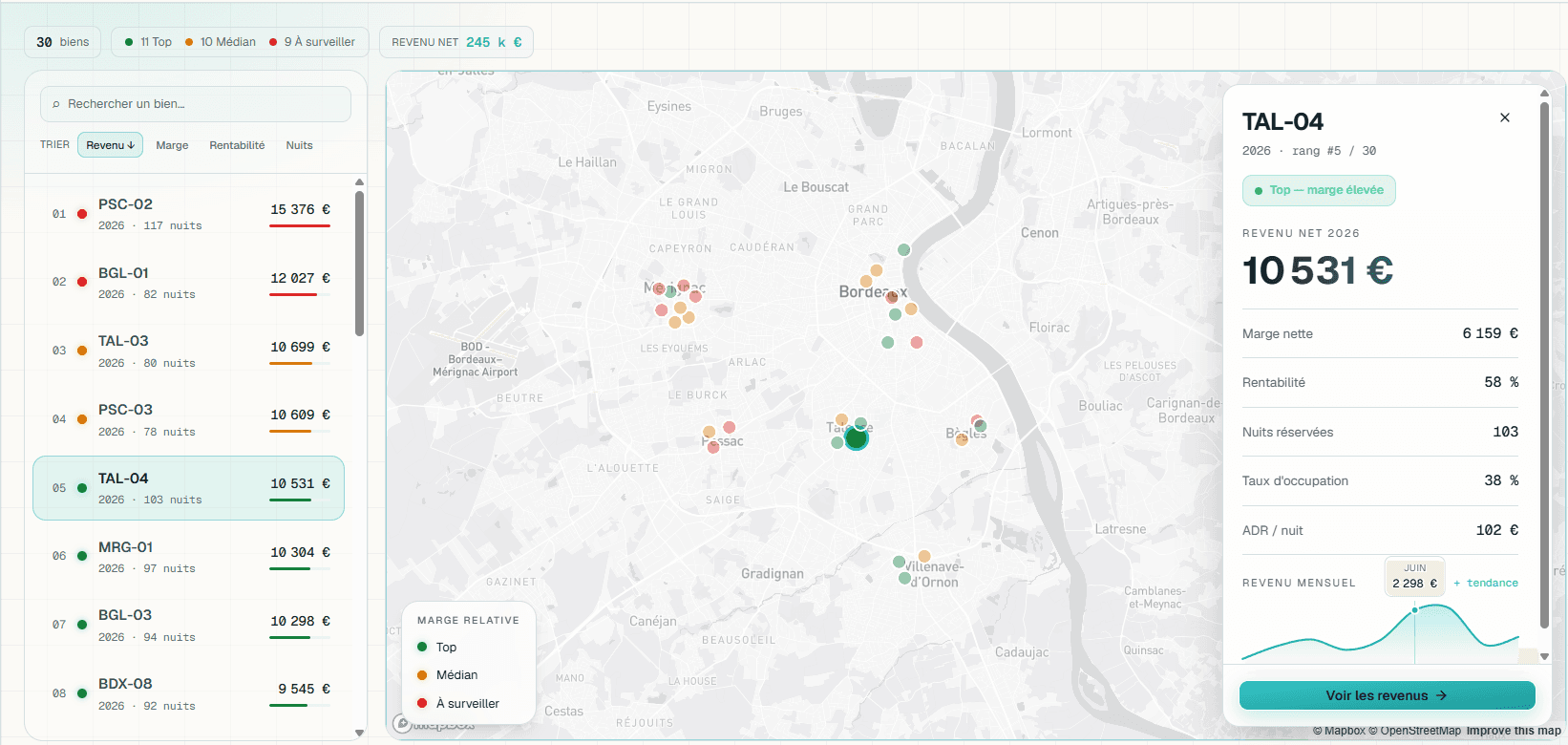
Real profitability for a short-term rental portfolio
A financial dashboard replacing an Excel workbook: automatic consolidation of booking revenue and accounting charges, then real margin computed by unit, by month and by channel.
Read the case study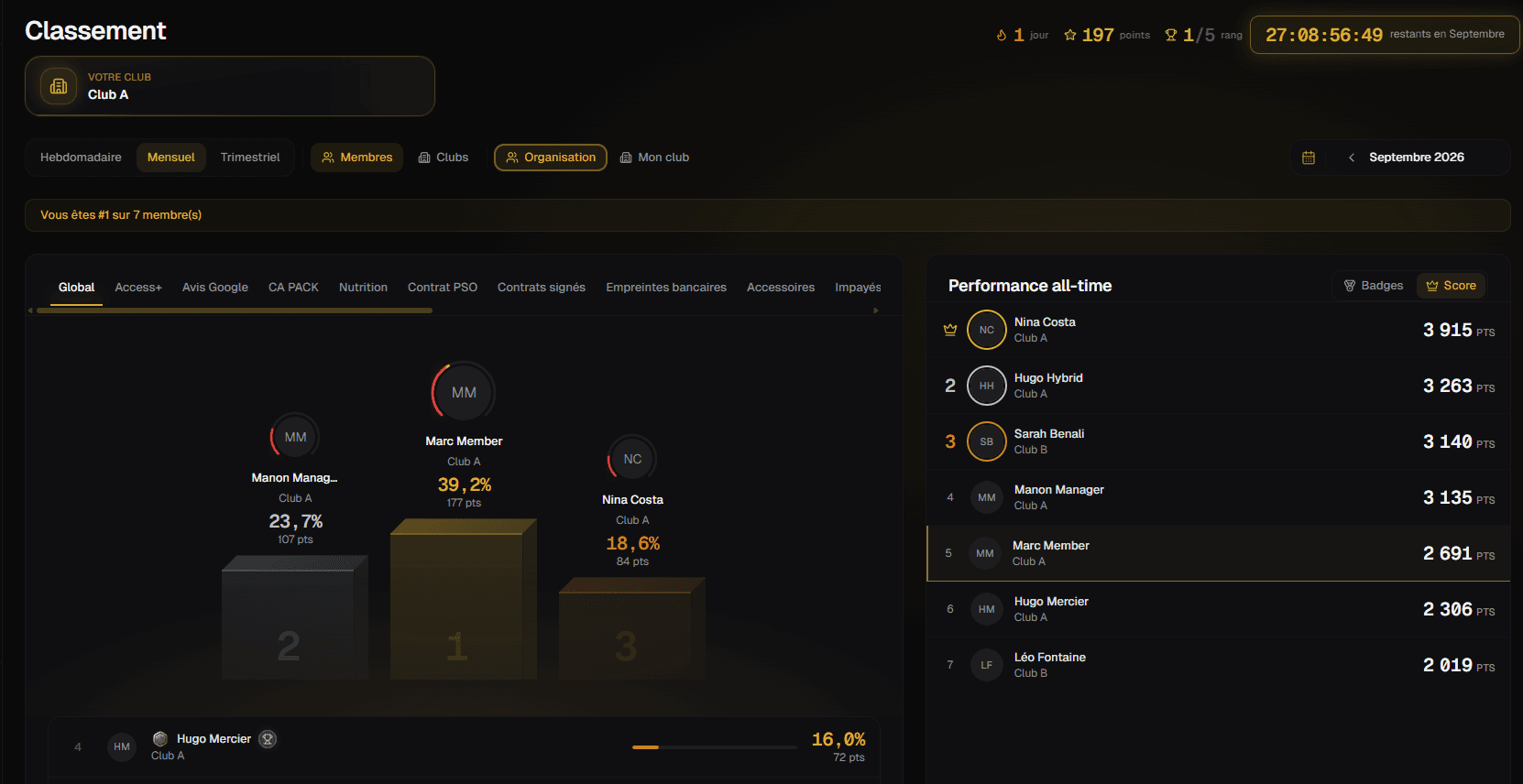
Sales performance for a fitness club network
A sales-tracking portal whose progression mechanics reward consistency as much as raw performance, and stay fair whatever the size of the club.
Read the case studySales pipeline and commissions for a coaching provider
Off a no-code tool and onto a domain application that records commercial facts (appointments, sales, payments), then derives the pipeline, commissions and reporting from them.
Read the case studyLet’s talk about your file
Tell us what you manage, and how. We will tell you honestly whether a spreadsheet is still enough.